
ps3world-app
PS3 World homebrew app: browse and download homebrew, themes and avatars from the PS3 World archives on your console.
| .github | 1 item | |
| art | 2 items | |
| data | 10 items | |
| docs | 2 items | |
| generator | 6 items | |
| src | 28 items | |
| tests | 2 items | |
| tools | 11 items | |
| .gitignore | 8 lines | |
| LICENSE | 87 lines | |
| Makefile.ps3 | 89 lines | |
| README.md | 84 lines |
README.md
ps3world-app
PS3 World for the PlayStation 3 (HEN and CFW): browse the PS3 World archives on the console and download homebrew, themes and avatars straight from dl.ps3.world, without a PC.
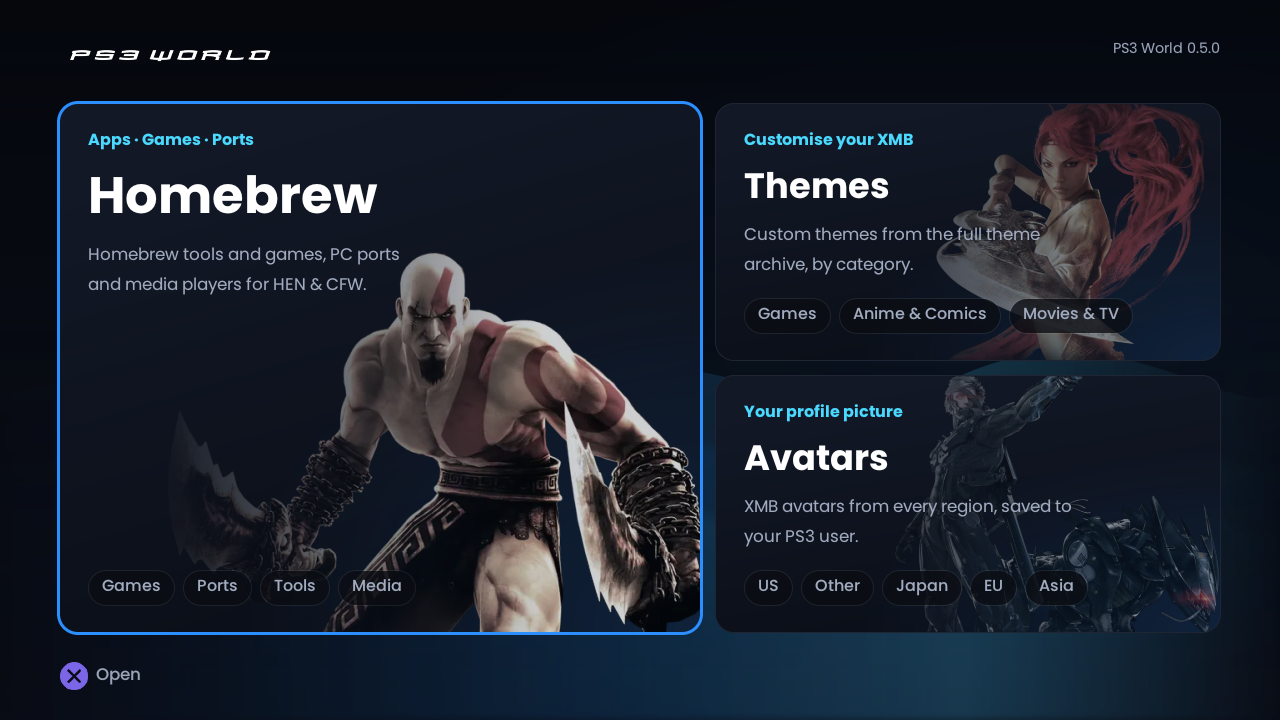
Screenshots
 |
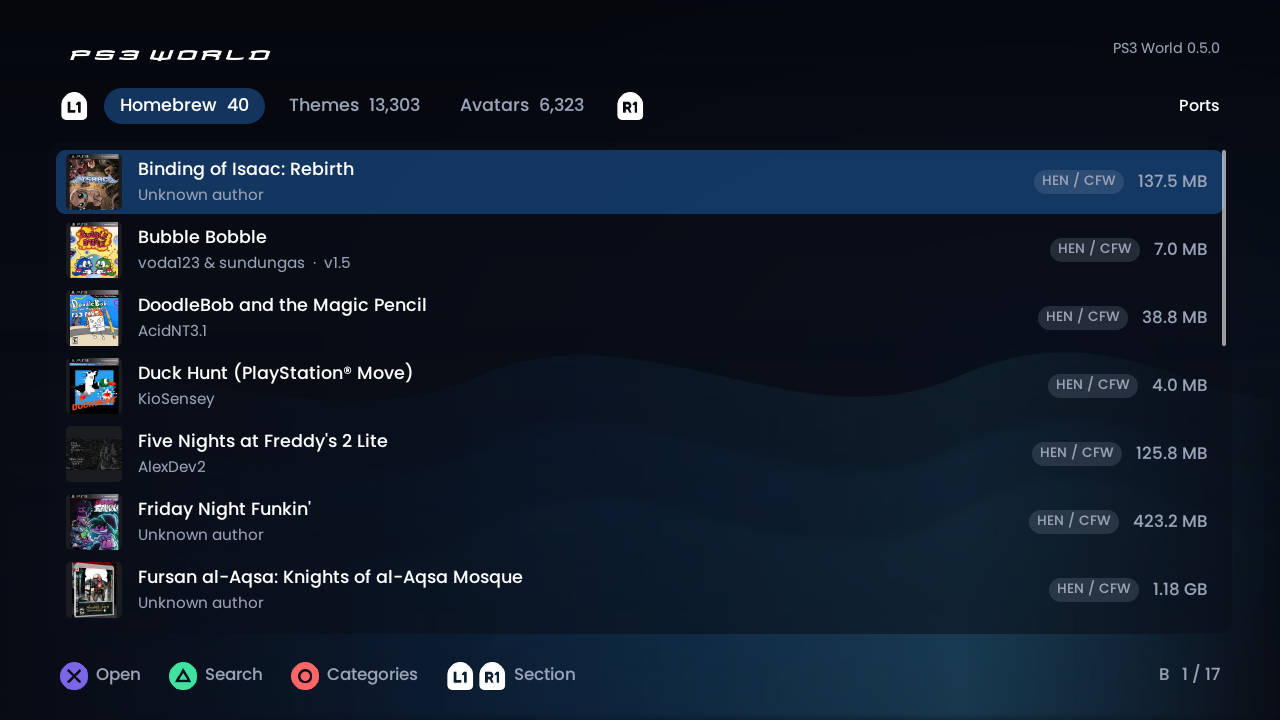 |
| Home: the three sections, styled as ps3.world's home page | A list: Homebrew > Ports |
 |
 |
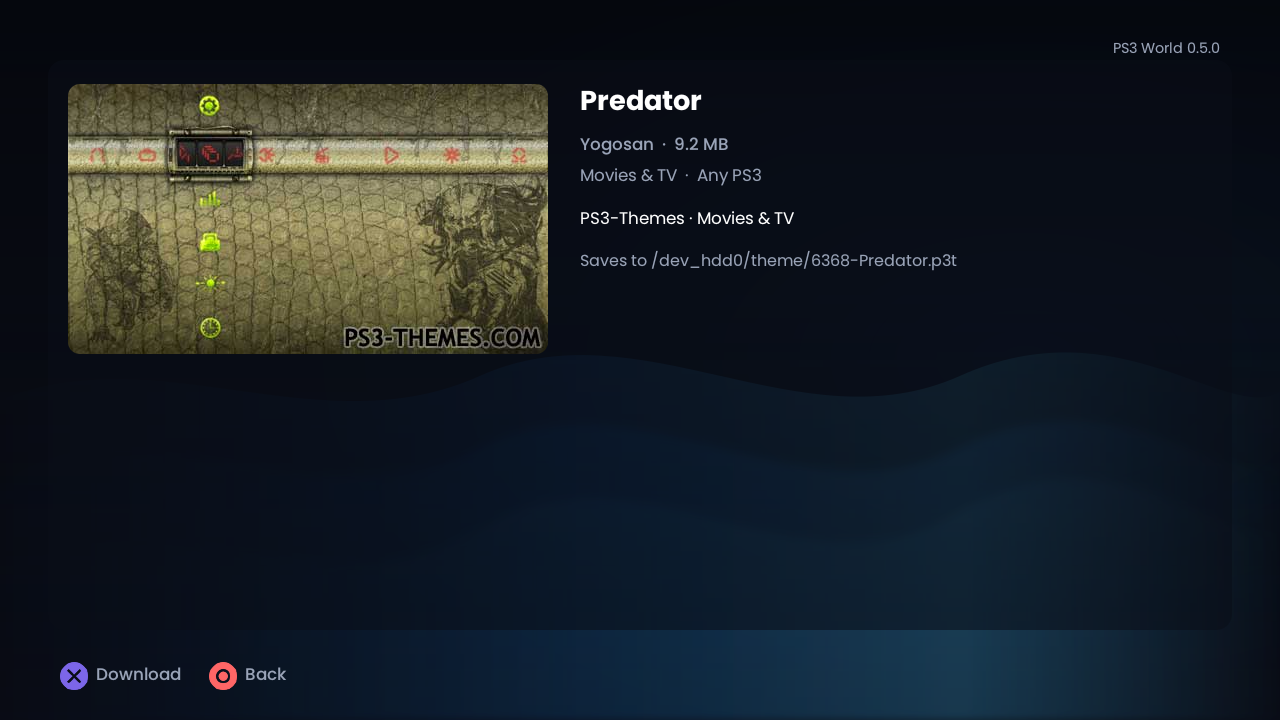
A theme: its preview, and where it saves (/dev_hdd0/theme) |
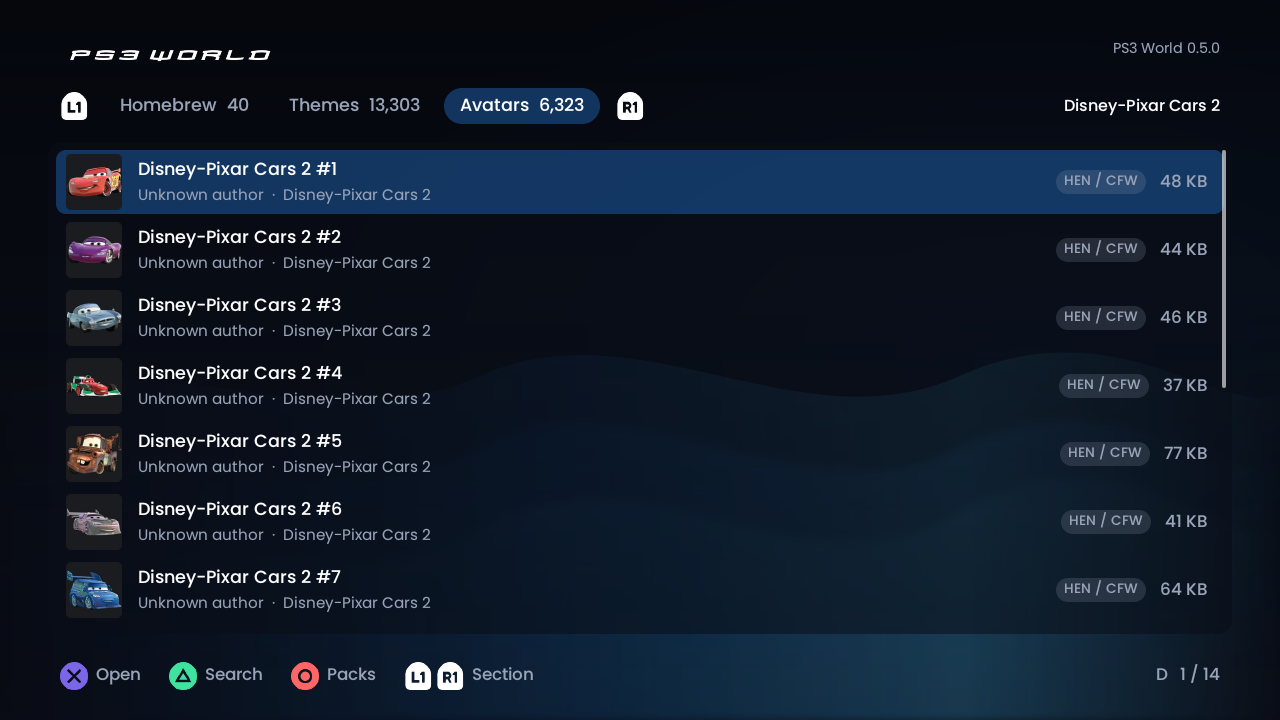
Avatars: a pack, opened as a folder |
Features
- Homebrew, themes and avatars in the site's categories: Homebrew by Games, Ports, Edits (PS1 and PS2 mods), Tools and Media; themes by their 17 categories; avatars by region, in packs.
- Themes and avatars as a grid of their pictures (5 themes or 8 avatars a row); the one picked is described under it. Homebrew stays a list.
- Installed: homebrew already installed on the PS3 (its folder in
/dev_hdd0/game) says so, not just Downloaded. - Update: when you replace a homebrew's PKG with a new version (same title ID, any file name), the next catalogue rebuild dates the change (
.cache/pkg-versions.jsonin the catalogue folder), and anyone who installed it before then sees Update on it. - Download speed and how long is left while downloading.
- An intro as it opens: the logo eases in over the backdrop, a soft glow passes behind it and a line draws out under it, then it fades into the app (about 2 seconds, while the catalogue loads underneath; any button hurries it).
- What's new: the first time a new version opens after an update, a screen lists what changed (once;
USRDIR/seen.txt). The list isnews_linesinsrc/ui.c: replace it for each release. - Search any list (Triangle), and jump by letter with L2/R2. Sort a list A–Z, newest first or largest first (Select).
- Surprise me (Square on a section's categories): something at random, from 13,000 themes or all the homebrew.
- Previews of what you're downloading: a theme's screenshot, an avatar, a homebrew's art.
- Saves where the PS3 looks: PKGs to
/dev_hdd0/packages(Package Manager > Install Package Files), themes to/dev_hdd0/theme, avatars to the chosen user'spsn_avatarfolder. - Checked downloads: every file's size and sha256 are checked before it's kept, and a stopped download resumes where it left off.
- A download queue: start several and keep browsing; the one running shows bottom right. Square on an avatar pack queues every avatar in it.
- Before a big download (1 GB or more) it says how big and roughly how long at the speed downloads have been getting, and checks there's room on the HDD.
- Full-screen previews (Triangle on an item).
- Favourites: Select on an item stars it; they have their own card on the home screen (and a tab in My downloads).
- Recently added: what's new in the last 30 days, from its own card on the home screen (under Avatars): Homebrew's first, L1/R1 for Themes' and Avatars'. A New ticker along the top of the home screen scrolls through it too.
- My downloads (Triangle on the home screen): the queue, then everything on the HDD with its date. Delete a file (Square twice), or get a homebrew's new version.
- Free space on the HDD, top right of the home screen (the download in progress shows there instead while one runs).
- Quit to the XMB from the home screen: Circle, then Circle again within 4 seconds (a running download picks up where it left off next time).
- Updates: when a newer PS3 World is out, the home screen says so, and Square downloads it.
- Credits & contact (Start on the home screen): who made it, what it's built with, and where to send your own homebrew, themes or avatars (ps3.world/contact).
- 1080p: with the PS3 set to 1080p, everything is drawn at the full resolution (the graphics chip draws; the CPU fallback is 720p). On a 4:3 TV the picture is letterboxed at the right shape.
- Sound effects: soft clicks as you move and choose (off in the Language screen, under Select).
- 16 languages: English, Spanish, Portuguese, French, German, Italian, Dutch, Polish, Turkish, Danish, Indonesian, Russian, Chinese (Simplified), Japanese, Korean and Arabic (joined letters, and the whole screen laid out right to left, controls included). It follows the PS3's language; Select on the home screen opens a grid of flags to pick another. Chinese, Japanese and Korean use the PS3's own system fonts. The words are in
data/lang/<code>.txt, and homebrew's descriptions ingenerator/descriptions/<code>.json.
Controls
| Button | Does |
|---|---|
| D-pad | move (Left/Right: a page at a time in lists) |
| Cross | open, download |
| Circle | back |
| Square | clear a search; download a whole avatar pack; Surprise me on a section's categories; cancel a download; delete in My downloads; get an update on the home screen |
| Triangle | search a list; the preview full screen on an item; My downloads on the home screen |
| Select | the language (and sounds) on the home screen; the sort order in a list; favourite an item |
| Start | Credits & contact, on the home screen |
| L1 / R1 | in a list, the previous / next category (Games, Ports, Edits...); on the categories screen, the previous / next section; in My downloads, My downloads / Favourites. The bar at the top shows which. |
| L2 / R2 | the previous / next letter |
Hold R1 while the app starts to try the graphics chip again after a freeze, or L1 to use the CPU renderer that once.
Adding content and releases
The app reads a catalogue that generator/make-catalog.mjs builds from the sites' data and generator/homebrew.manifest.json (generator/README.md). After adding to a site or the manifest, rebuild it and upload it; consoles pick it up the next time the app starts.
To release a new version: put its PKG in D:PS3 WORLD R2homebrewtools as PS3WorldApp-v<version>.pkg, upload it (the deployer's Downloads card), run G:DeployerRebuild app catalogue.cmd, then upload the catalogue (its ps3world-catalog card). Apps from 0.6.0 on offer it on the home screen. Tag the commit v<version> for the GitHub release.
Layout
| Path | What |
|---|---|
src/ |
the app (C, PSL1GHT); src/ps3/ is the console backend |
src/catalog.c |
catalog.json, parsed and checked |
src/lang.c, src/i18n.c, data/lang/, data/flags/ |
the languages: tr(), the PS3's language or the one picked, each language's words, and its flag (tools/make-flags.mjs makes them from flag-icons) |
generator/ |
Node script that builds catalog.json and the icons from the site build |
tools/https_test.c |
the app's HTTPS client run on Linux against dl.ps3.world (CI) |
tools/make-art.mjs |
ICON0, PIC1 and the in-app background, from the site |
.github/workflows/ps3.yml |
CI: HTTPS test, PS3 toolchain (cached), EBOOT + PKG |
Building
Push to GitHub and Actions builds PS3World.pkg (artifact PS3World). The toolchain (ps3toolchain + PSL1GHT, pinned) is built once and cached; Mbed TLS 3.6.7 is built per run by tools/build-mbedtls.sh.
Title ID PSWD00001; it installs to /dev_hdd0/game/PSWD00001/. The log is USRDIR/ps3world_log.txt, and USRDIR/downloaded.txt lists what's been downloaded. docs/TEST-CHECKLIST.md is the on-console test.
Licence
GPL-2.0. Based on Resonant for Plex (HTTPS client, drawing, fonts, input, worker threads, build). Third-party licences are in data/licenses/.